

source: pexels
Online publishing is a confusing game to many authors, especially in Ghana or anywhere in West Africa. They look at the different platforms and feel overwhelmed. There are so many formatting rules, tax forms and let’s not even think about the payment issues. All these can cause fear, which stops you, the author, from sharing your work. But no more.
You do not need to guess your way through this process. Publishing is a series of clear actions. At least when you have the right guidelines. So, in this post, we will walk you through the entire journey step by step.
Step 1: Polish Your Manuscript
Uploading a first draft is a terrible idea. The first draft is usually messy. If you publish it as is, readers will notice. They will leave bad reviews, and such feedback can destroy your sales permanently.
So, put your manuscript away for a week. Just let your brain reset. Then, print it out. Read the physical pages with fresh eyes. You will spot mistakes you missed on the screen. Read the dialogue out loud. If it sounds fake when you speak it, rewrite it. Done? Great.
Now, hire a professional editor. They will fix your grammar and tell you if a chapter is boring. If you cannot afford an editor, use a software to catch basic typos. Think Grammarly, Quillbot, etc. But don’t stop there.
Ask honest friends to read your manuscript. Tell them to be brutal. You want to fix the problems before the public sees the book. A clean document is the foundation of your success.
Step 2: Format Your Book Like a Professional
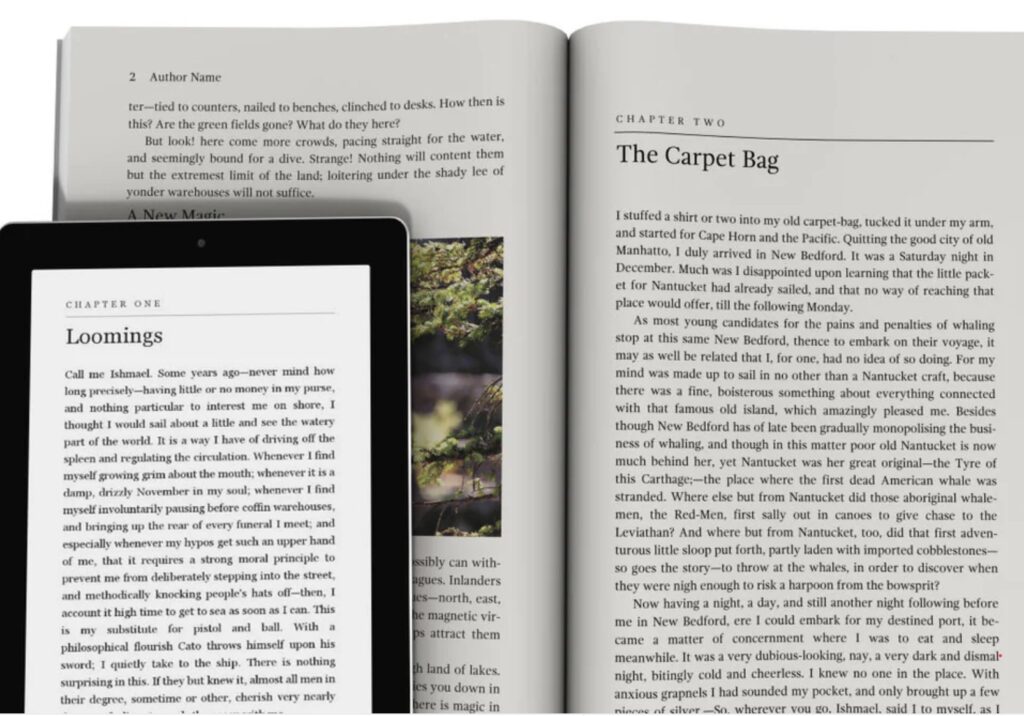
A professional book has style and proper margins. The fonts are easy to read. The chapter headings look clean. So, you must also format your interior pages correctly.
If you are only creating a digital ebook for Amazon Kindle, you have an easy option. Use Kindle Create. It is a free piece of software. You upload your document into the program. It automatically turns your words into a perfect digital book format. Then you format it to suit your preference.
Print books are much harder to format. You have to worry about page numbers. You have to ensure the text does not fall off the edge of the page. You can use Canva for simple projects. It works fine for workbooks or books with lots of pictures. But Canva is terrible for long novels.
If you want a real professional layout, hire a professional formatter. Do not let bad formatting ruin a great story.
Step 3: Buy Your Own ISBN
This step traps many first-time authors. Pay close attention. When you upload your book to Amazon KDP, the platform will offer you a free ISBN. An ISBN is the unique barcode number that identifies your book across the globe.
Do not accept the free ISBN.
At least not if you plan to also sell your books on other platforms.
You see, the free ISBN comes with a catch. It locks you into their ecosystem. You cannot take that free number and publish your book on a different platform. You do not own it. Amazon owns it. If they ever terminate your account, your book disappears. You lose everything.
If you want total control over your intellectual property, buy your own ISBN from your local government agency. In Ghana, you buy this from the George Padmore Library located in Accra. In Nigeria, you apply through the National Library.
When you own the ISBN, you own all the rights. You can print the book anywhere in the world.
Step 4: Design a Cover That Sells
People judge books by their covers. This is a simple fact of human nature. Some publishing platforms offer free cover creator tools. Do not use them. They produce blah designs.
Go to the online bookstore. Look at the top 15 selling books in your specific genre. Study them closely. Notice the colours they use. Look at the font styles. Are the fonts big and bold? Are they elegant and thin?
Then hire a professional cover designer. Pay them to make something entirely unique. Your cover must stand out on a crowded screen. It also has to look good when shrunk down on a mobile phone. This investment is worth it.
Step 5: Set Up Your KDP Account
Amazon is the biggest bookstore in the world. You will likely start your journey there. Setting up your account requires focus, especially if you are not in America:
- Go to their website.
- Sign in using your existing regular Amazon account. If you do not have one, you must create one. The next screen shows the user agreement. Read the entire document before you click “Agree.”
- You will see a prompt saying your account information is incomplete. Fill out every single detail. You must provide your legal name, tax information and link a bank account.
If you live in West Africa, getting paid can be tricky. In the past, people used virtual US bank account providers, but most of them no longer work with Amazon.
You need to check to see what payment option is allowed for your region.
Step 6: Master Keywords and Categories
Categories are the digital shelves in the bookstore. You can select up to three categories for your book. You have to be very careful, though. Stay away from ghost categories.
Ghost categories are a major trap. Shoppers cannot find these categories by clicking through the store. They need a direct link. 25% of the categories are listed as ghost categories. If you put your book in one of them, shoppers cannot find it. You will be invisible.
Keywords are the words people type into the search bar. You must research the exact phrases people use when buying a book. Use software tools to find out what words actually make money.
Step 7: Write a Spot-on Description
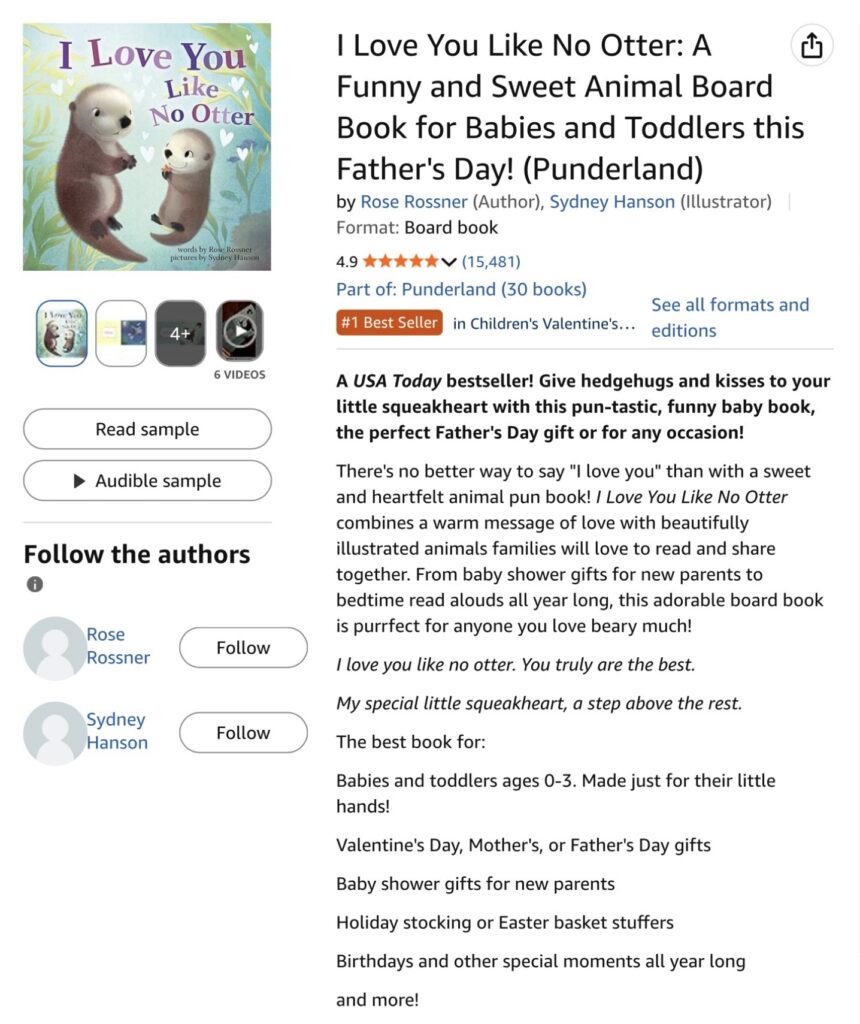
Source: Amazon
Type your title and subtitle exactly as they appear on your book cover. Add your real name or your pen name.
Do not just paste a massive block of text into the description box. It will look terrible. Online readers simply scan. You need to use special HTML coding.
This code makes your description look better. It lets you add larger words, bold text, and bullet points. Find a free online HTML generator tool. Paste your text into the tool. Highlight the words you want to bold. Click the format buttons. Then copy the code and paste it into the publishing platform.
Start with a strong hook. Tell the reader exactly what problem your book solves or what adventure they will experience.
Step 8: Upload and Publish
Choose the first option under publishing rights to show you own the book. Upload your formatted manuscript file. Upload your professional cover design.
Never skip the preview stage. Use the Kindle ebook previewer. This tool shows you exactly what the book looks like on a device. Click through every page. Check yourself to ensure there are no outstanding errors. Look for missing paragraphs. Look for images that loaded wrong.
Next,
- Type in your ISBN.
- Select the territories where you want to sell the book.
- Select your royalty plan. You generally choose the 70% option for standard prices. Type in your retail price.
Hit submit. It can take up to 72 hours for your book to appear in the store. They will send you an email when it is live. Check the live page immediately to ensure there are no mistakes.
Step 9: Do Not Forget Local Printing
If you live in Ghana or Nigeria, you have a massive advantage over Western authors. Global print-on-demand is fantastic for reaching readers in London or New York. But it fails locally. Shipping a single book from the United States to Accra is expensive and slow.
You need a local strategy. Print your books in bulk using local printers like Crows Publishing. Many authors do this. They print large orders and sell directly to their audience on social media. They also list their books on local platforms.
This approach gives you higher control over your product. You bypass the international shipping fees. You keep a much higher profit margin on every single sale.
You can also host physical book launches where you can sign copies for your fans. Always keep a box of books in your house. You never know when you will meet a buyer.
10 Alternatives to Amazon KDP
There are dozens of other platforms for books. If you want more control, try these ten alternatives.
- Draft2Digital: You upload your book once, and they send your book to Apple Books, Kobo, Barnes & Noble, and even libraries.
- IngramSpark: If you want your books in actual bookstores and libraries worldwide, this is the way.
- Lulu: You can create standard paperbacks, wire-bound journals, and hardcovers. You can earn up to 80 percent on every sale.
- PublishDrive: This platform has reach even to China. They use a monthly subscription model instead of taking a percentage of your sales.
- Apple Books: Sell your ebooks directly to target iPhone and Mac users.
- Google Play Books: Use this platform to reach a massive audience of Android users globally.
- Kobo Writing Life: This platform is actually stronger than Amazon in Canada and parts of Europe. Their partnership with local bookstores gives you a strong reach.
- Barnes & Noble Press: It is free to get started. You get your books on their website. If your book sells well, they might put it in their physical bookstores.
- StreetLib: They are very strong in Europe. They also have a pretty wide reach in Africa and some parts of Latin America.
- Selar. Strong distribution in African countries.
Start Your Publishing Journey Today
Publishing a book requires patience. If you follow the system carefully, you give your book the best chance to succeed.
If this process sounds like a massive headache, you do not have to do it alone. At Crows Publishing, we handle the professional layouts and help you design custom covers that sell. We also manage premium local printing right here in Accra.
DM us to start your project.